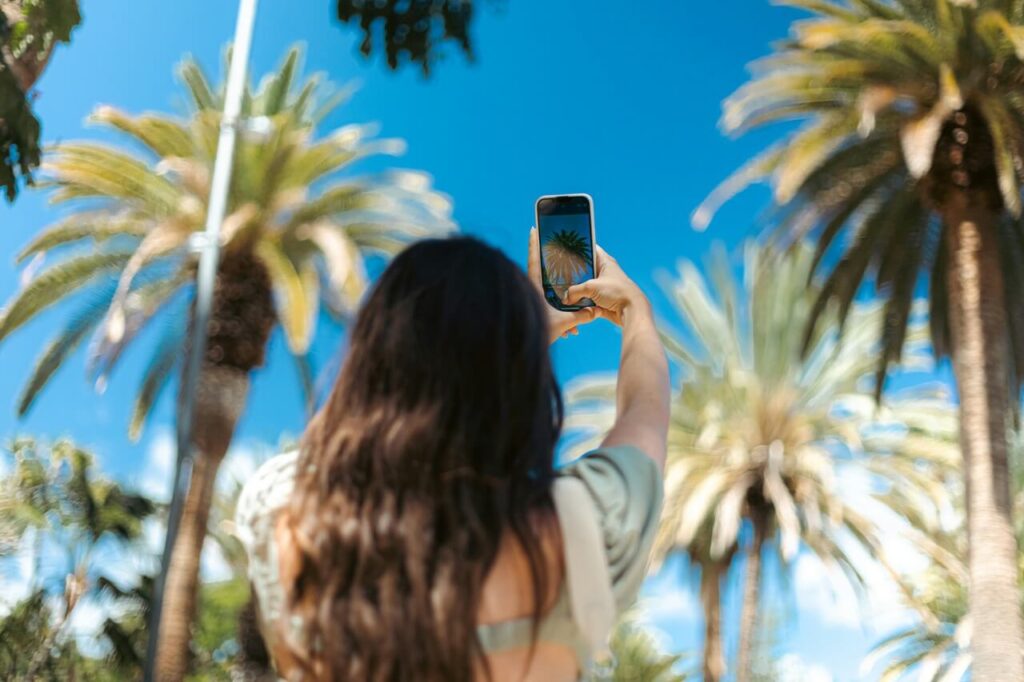
If you opened Instagram recently and suddenly saw a mysterious camera shortcut in your DMs, you are not alone. The rollout of Instagram Instants has confused — and honestly startled — a lot of users.
Some people accidentally posted unfiltered selfies while simply trying to figure out what the feature did. Others panicked after hearing rumors that Instants automatically snap photos and publish them without warning. Social media reactions have ranged from curiosity to full-blown outrage.
So what exactly is this new feature, and should you actually be worried?
Here is a complete guide explaining what Instagram Instants are, how they work, how to control them and what you should know before tapping that camera button.
What Are Instagram Instants?
Instagram introduced Instants globally in May 2026 as a new way to share spontaneous photos with friends. The feature combines elements from apps like Snapchat, BeReal and Locket, but it is built directly into Instagram’s messaging experience.
Unlike Stories or feed posts, Instants are designed to feel temporary and unfiltered.
Here’s the core idea behind the feature:
- You take a photo in real time
- The image is sent immediately after capture
- You cannot upload from your camera roll
- You cannot heavily edit the photo
- The photo disappears after being viewed or after 24 hours
Instagram says its goal is to encourage “authentic moments” rather than perfectly curated content. That sounds simple enough, but the way the feature behaves is what caught many users off guard.
Why Users Are Freaking Out About It
The biggest controversy around Instagram Instants is the lack of a traditional preview screen.
Most social media apps let you:
- Take a photo
- Review it
- Decide whether to post or send it
Instants changes that flow.
With Instants, pressing the shutter button can send the image to your selected audience immediately. Many first-time users assumed they were still in “preview mode” and accidentally shared photos they never intended to post.
That design decision triggered a wave of online complaints, especially from users who:
- Opened the feature by mistake
- Were not camera-ready
- Thought they were testing the feature privately
- Did not realize sharing happened instantly
Despite the rumors, though, Instagram Instants does not secretly take photos of you automatically. You still need to open the feature and tap the camera button yourself.
Where to Find Instagram Instants
Instants currently appears inside your Instagram DM inbox.
To access it:
- Open Instagram
- Go to Messages
- Look for the small photo pile or Instants shortcut near the bottom-right area
- Tap it to open the Instants camera
Instagram is also testing a stand-alone Instants app in select countries for faster access.
How Instagram Instants Actually Work
Once you open Instants, the experience is intentionally minimal.
You can:
- Take a live photo
- Add a short caption
- Choose who receives it
- Send it instantly
You cannot:
- Upload gallery photos
- Add filters
- Use stickers
- Retouch your appearance
- Heavily edit the image
The feature focuses on immediacy rather than perfection.
After sending:
- Your friends receive the Instant in their inbox
- They can react or reply
- The image disappears after viewing
- Unopened Instants expire after 24 hours
Who Can See My Instagram Instant?
This is one of the most important questions users have asked.
Your Instant is not public by default like a feed post.
Instagram says Instants can only be shared with:
- Your Close Friends list
- Mutual followers (people you follow who also follow you back)
You choose the audience before sending the Instant.
That means random followers should not automatically see your Instant unless they fall into the selected group.
Still, users should pay attention before sending because the feature moves quickly and offers fewer confirmation steps than Stories or posts.
Can You See Who Viewed Your Instants on Instagram?
Currently, Instagram does not provide a traditional viewer list for Instants the way it does for Stories.
Once someone opens the Instant:
- The content disappears
- There is no replay
- There is no visible public engagement counter
However, users can still reply or react through DMs.
Some people appreciate the reduced pressure compared to Stories, while others dislike the lack of visibility and control.
Can You Screenshot an Instagram Instant?
According to Instagram, Instants are designed to block screenshots and screen recordings.
That said, no digital feature is completely foolproof.
Someone could still:
- Use another phone to photograph the screen
- Capture the image externally
- Circumvent protections in unofficial ways
So even though Instants feel temporary, you should still avoid sharing anything extremely sensitive.
How to Unpost an Instagram Instant
Accidentally sent a terrible selfie? Fortunately, Instagram included an undo feature.
Here is how to remove an Instant:
Option 1: Use Undo Immediately
After sending, Instagram briefly shows an “Undo” option.
Tap it quickly before recipients open the Instant.
Option 2: Delete It From Your Archive
Instagram stores your Instants privately in an archive for up to one year.
To delete:
- Open Instants
- Go to your Archive
- Find the Instant
- Delete or unsend it
If recipients have not viewed it yet, removing it can prevent them from opening it later.
How to Disable Instagram Instants
If you hate the feature entirely, you are definitely not alone.
Many users immediately searched for ways to turn it off after the rollout.
Here’s how to disable or hide Instagram Instants:
- Open Instagram Settings
- Go to “Content Preferences”
- Find “Hide Instants in Inbox”
- Toggle it on
This removes Instants visibility from your inbox experience.
You can also temporarily snooze Instants:
- Hold down the Instants pile in your inbox
- Swipe right to mute or snooze it
Instagram already gives users more control over their feeds than many people realize. Users can individually mute five different types of content on the platform — notes, stories, posts, activity bubbles and Instants — without unfollowing someone entirely. That flexibility shows Meta is positioning Instants as an optional social layer rather than a feature users are forced to engage with constantly.
What Makes Instagram Instants Different From Stories?
At first glance, Instants might sound similar to Stories, but there are major differences.
| Feature | Instagram Stories | Instagram Instants |
| Editing tools | Extensive | Minimal |
| Camera roll uploads | Yes | No |
| Visibility | Broader audience | Close Friends or mutuals |
| Lifespan | 24 hours | Until viewed or 24 hours |
| Screenshot support | Allowed | Blocked |
| Viewer list | Yes | Limited |
| Posting style | Curated | Spontaneous |
Instagram clearly wants Instants to feel more immediate and less polished.
Why Instagram Created Instants
Meta appears to be responding to a major shift in social media behavior.
Younger users increasingly prefer:
- Casual sharing
- Temporary content
- Smaller audiences
- Less curated posting
Traditional Instagram feeds became highly polished over the years, making many users hesitant to post everyday moments.
Instants tries to reverse that trend by lowering the pressure to appear perfect.
Whether users actually embrace the feature long-term is another question entirely.
Should You Use Instagram Instants?
That depends on how comfortable you are with spontaneous sharing.
You may enjoy Instants if you:
- Like casual communication
- Prefer private interactions over public posting
- Want a faster alternative to Stories
- Already use Snapchat or BeReal-style apps
You may dislike Instants if you:
- Prefer editing your photos first
- Want more posting control
- Feel anxious about accidental sharing
- Use Instagram mainly for curated content
The learning curve mainly comes from understanding that the shutter button behaves differently from most camera apps. Once users understand the mechanics, the feature becomes less intimidating.
The Real Takeaway on Instagram Instants
Instagram Instants is not secretly spying on users or auto-posting random selfies. The confusion mostly comes from its aggressive “capture-and-send” design, which skips the preview process many users expect. While the feature aims to make sharing feel more authentic and immediate, it also requires more caution than traditional Instagram posting tools. Understanding how Instants works — and how to disable or undo it — makes the feature much easier to navigate.
Recent Stories
Follow Us On
Get the latest tech stories and news in seconds!
Sign up for our newsletter below to receive updates about technology trends