
Even when you visit a destination famous for the northern lights, you cannot count on seeing them every night. Solar activity constantly changes, while geomagnetic conditions determine how charged particles interact with Earth’s atmosphere and where auroras may appear. These conditions can shift quickly, making your viewing opportunities difficult to predict far in advance.
An aurora borealis app makes tracking easier by turning complex space-weather data into forecasts, maps and timely alerts. You can quickly understand when conditions look promising without interpreting complicated scientific measurements yourself. Instead of repeatedly checking separate weather and astronomy websites, you can monitor key information from your phone and act when a good viewing window appears.
The Kp Index gives you a quick way to understand global geomagnetic activity, using a scale from 0 to 9. When Kp reaches 8 or 9, the aurora can extend farther toward the equator while becoming brighter and more active. These powerful events expand the auroral oval, which allows more people across a wider geographic area to see the northern lights.
However, you should consider more than Kp when planning your viewing session. Solar wind speed can indicate how quickly charged particles travel toward Earth, while auroral oval forecasts show where activity may appear. A high Kp still cannot overcome thick clouds or heavy light pollution, so clear, dark skies remain important.
GPS-based forecasts add another useful layer by tailoring predictions to your current location. Instead of interpreting global conditions alone, you can see your estimated chance of witnessing an aurora where you are. This location-specific information can help you decide whether to head outside, travel to a darker area or wait for better conditions.
The right aurora tracking app can help you turn complex space-weather data into practical information for planning your next viewing session. These five options offer useful features for everyone, from first-time aurora hunters to tech enthusiasts who want detailed forecasting data.
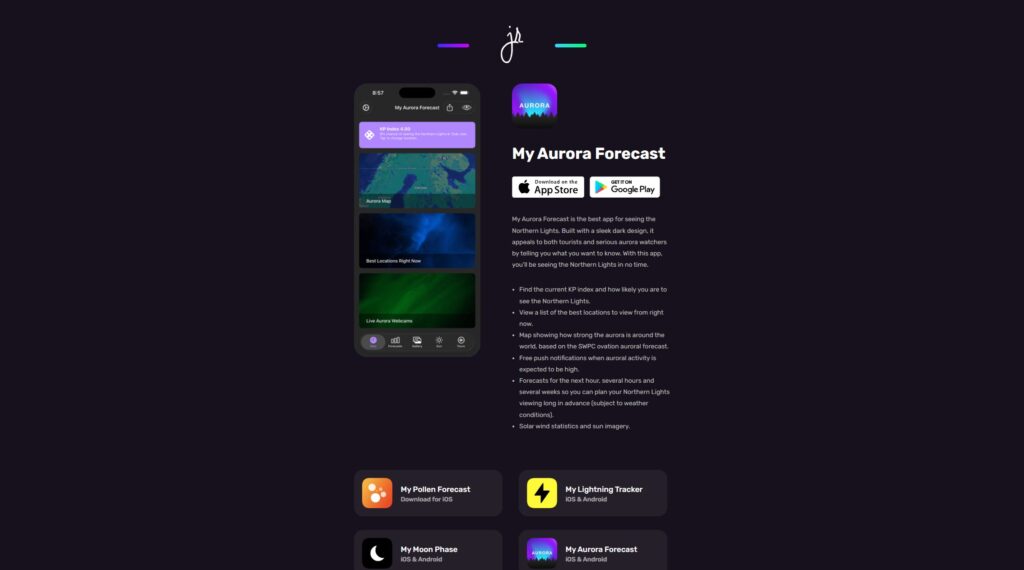
My Aurora Forecast offers an accessible starting point for beginners without sacrificing the data that experienced aurora hunters may want. You can monitor current auroral activity, check Kp forecasts and receive push notifications when conditions become more promising. Location-based viewing probabilities also help you decide whether heading outside is worth your time.
Beyond space-weather forecasts, you can check additional weather information and access live aurora webcams where available. These tools provide extra context when you are deciding when and where to watch. With its approachable design and useful range of data, My Aurora Forecast makes a strong general-purpose choice for tracking the northern lights.
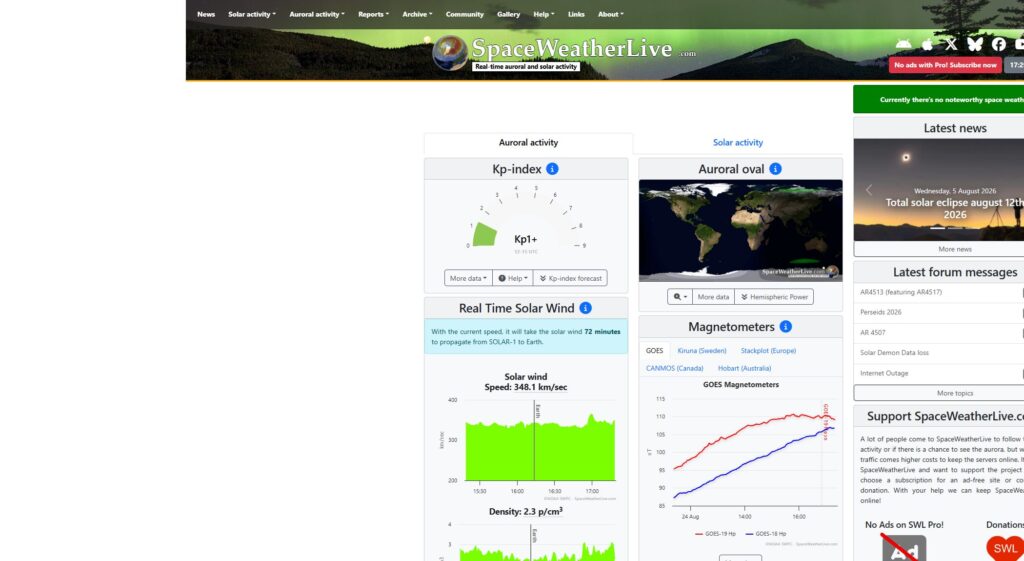
SpaceWeatherLive gives you a deeper look at the science behind aurora forecasts, making it especially useful if you enjoy exploring technical data. You can track solar wind speed, interplanetary magnetic field data and geomagnetic storm conditions. Monitoring measurements such as Bz can provide valuable context about aurora potential that you may miss when relying on the Kp index alone.
You can also receive notifications about significant solar and geomagnetic events, helping you respond when space-weather conditions change. However, the amount of technical information may create a steeper learning curve if you are tracking the aurora for the first time. Once you understand the key measurements, SpaceWeatherLive gives you greater insight into the conditions that can produce impressive northern lights displays.
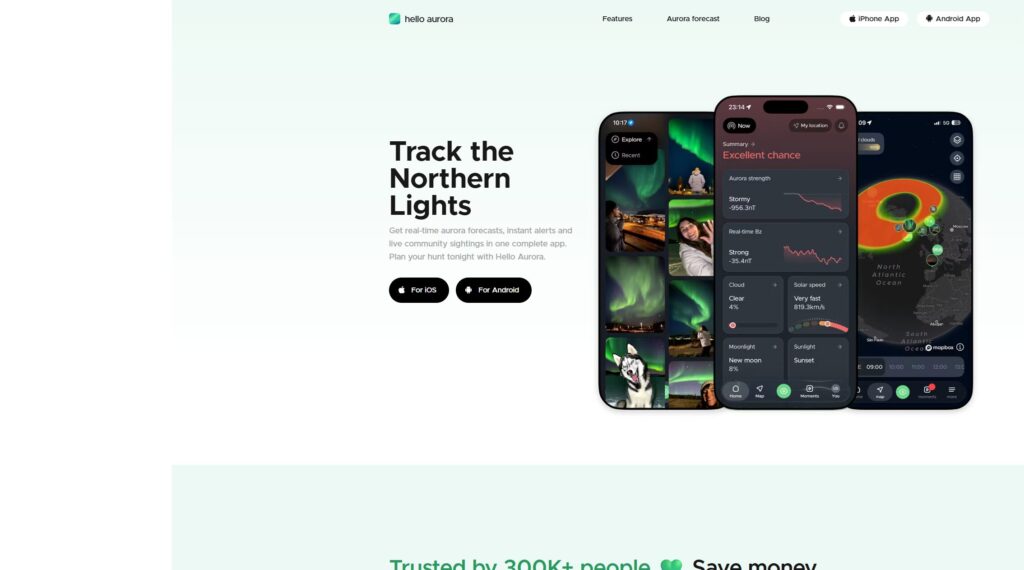
Hello Aurora combines aurora forecasts with reports from other watchers, giving you another way to assess current viewing conditions. You can view sightings and activity shared by people in relevant locations, helping you see where the northern lights may already be visible. These real-world observations can complement model-based forecasts when conditions change faster than predictions can reflect.
Alongside its community features, Hello Aurora provides forecasting tools and notifications to help you follow changing aurora activity. This combination can prove especially useful when you are traveling and unfamiliar with local viewing conditions. You get technical forecasting information while benefiting from crowdsourced observations from other aurora watchers.
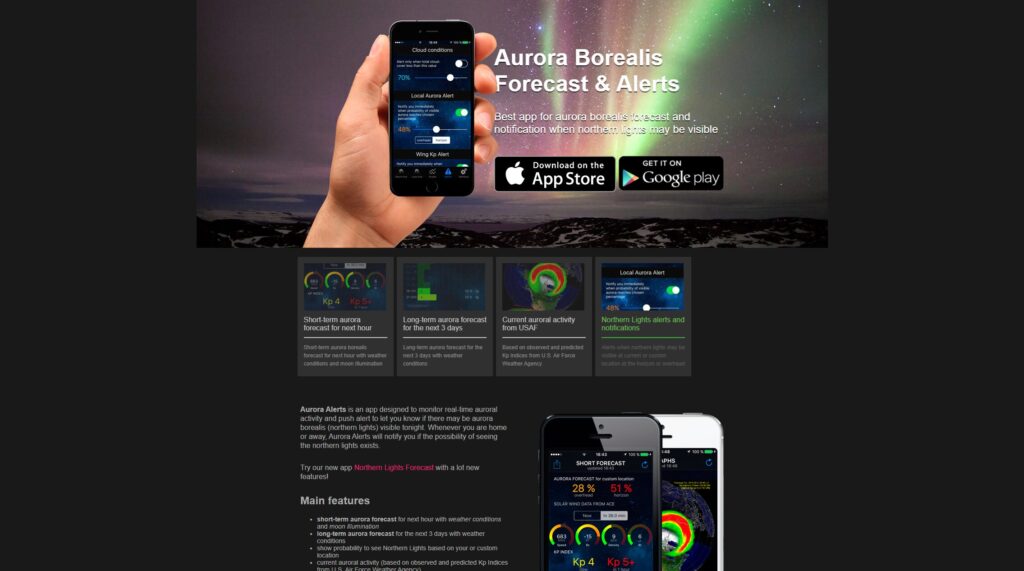
Aurora Alerts helps you follow geomagnetic conditions without constantly opening the app to check for changes. You can configure alerts around aurora activity and relevant space-weather conditions, giving you more control over when your phone sends notifications. The app also provides Kp forecasts, solar-wind information and auroral oval visualizations to help you assess viewing potential.
Custom notifications can prove especially useful because favorable aurora conditions may create short viewing windows. Instead of monitoring forecasts throughout the night, you can receive an alert when conditions meet your chosen criteria. Aurora Alerts is the ideal app if you want detailed tracking tools without unnecessary notifications.
The right aurora borealis app should make it easier for you to understand changing conditions and identify promising viewing opportunities. Look for tools that balance accurate space-weather information with features you can use quickly while traveling.
Downloading the right aurora borealis app covers only one part of preparing for your northern lights outing. You may need to travel away from bright cities and spend several hours outdoors while waiting for favorable conditions. That makes dependable, portable technology especially useful.
A portable charger can keep your smartphone running when you need it for communication, navigation or finding nearby attractions. Cold temperatures can also reduce battery performance, which makes backup power particularly valuable in popular aurora destinations. You may also want a reliable camera and tripod for long-exposure photos, plus a headlamp for moving safely through dark viewing areas.
An aurora borealis app makes complex geomagnetic and atmospheric information easier for you to monitor from one convenient place. If you are a beginner, prioritize clear forecasts and timely notifications, while more experienced users can explore solar wind and other detailed space-weather measurements. By combining reliable technology with clear skies and a suitable viewing location, you can improve your chances of catching the northern lights.