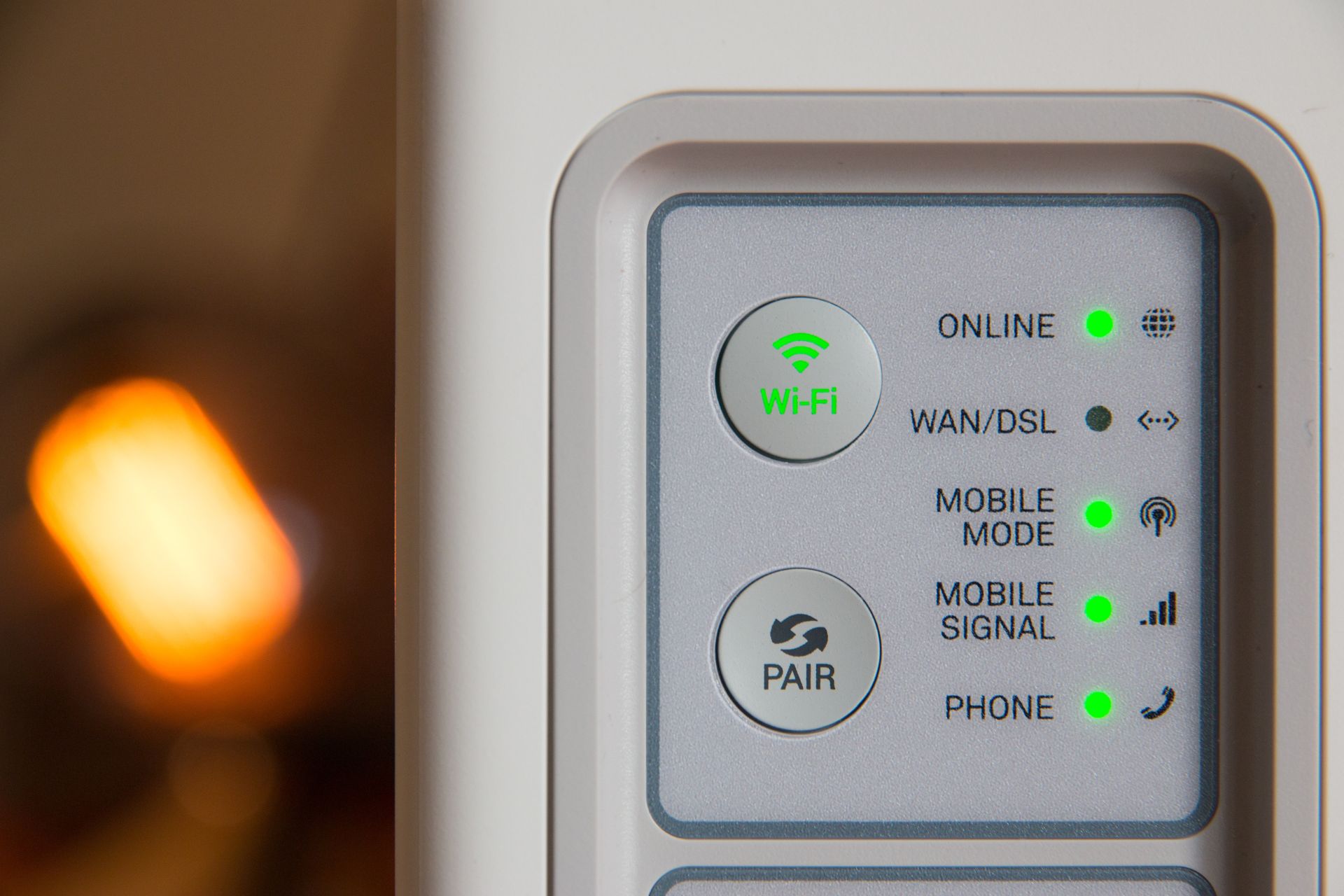
If you have a router at home, you may have seen a button on it that’s labeled “WPS.” WPS stands for Wi-Fi Protected Setup, and it can be a helpful feature in simplifying your life. Yet, what is a WPS button on a router for?
The WPS button is a standard feature that makes it easier for you to secure your wireless network. It reduces the steps and complexity involved in setting up a Wi-Fi network. Users often overlook this feature because they’re unsure of its purpose. However, one press of this button can quickly and easily establish network connections.
The WPS button allows you to bypass complicated passwords or go through multiple steps to connect a device to your network. Utilize it to connect your devices with the following tips.
WPS is a networking standard created to simplify the setup of a secure wireless home network. It was designed to improve the process of connecting devices to the network without compromising security. Yet, how does it accomplish this?
The principle behind WPS is straightforward. Your router uses a password to connect to the Wi-FI network. With the WPS button, you can let your devices connect to it without manually entering a long network password. Instead, you can press the WPS button, automating the connection between your devices and the network.
The WPS button works by sending a signal to the device. Once you press the button, this allows it to securely connect to your Wi-Fi without the need for a network security key or password. So, the next time you have a new device that needs the Wi-Fi password — you can skip this step by pressing the WPS button.
Suppose you’ve recently purchased a smart printer and are eager to get it up and running. Here’s where the WPS button on your router comes into play. Explore how to use this button to easily connect your new device to your Wi-Fi using the following steps:
This process works similarly for other smart devices. Whether it’s a smartphone, tablet or smart home device, the WPS button simplifies the process. However, it’s imperative to ensure the device supports WPS and you follow the instructions for initiating a WPS connection.
The key point is the timing — make sure you start the WPS process on your device within two minutes of pressing the WPS button on your router. By following these steps, you’ll be well on your way to a smooth device connection.
The WPS button method certainly has a lot going for it. One of its greatest advantages is its ease of use and quick setup. With only a few button presses, you can connect your devices within minutes.
Another advantage of using the WPS feature is that it encourages you to use it more often. With the seamless setup, you can simply connect more smart devices operating within your home.
However, the WPS button on a router has some drawbacks. The main concern revolves around security. An intruder within range could connect to your Wi-Fi network during the short window when your router is in WPS pairing mode.
Also, while less common nowadays, some older devices use a flawed version of WPS that is vulnerable to brute force attacks on the PIN method.
To use the WPS button safely, follow these tips:
Even with a simple system like the WPS button, users might encounter a few hiccups. Here are some common issues and solutions to keep your connections smooth and stress-free:
If these issues persist, check if your router’s firmware is up-to-date. Outdated firmware can cause various connection issues, including problems with the WPS.
For more specific problems, you may need to consult the user manual for your particular router or device. Or, you may contact the manufacturer’s customer support. Troubleshooting is often a process of elimination, so remember that patience is key.
Simplifying the process of setting up a Wi-Fi connection is invaluable, and the WPS button on your router serves this purpose. This small, often unassuming button can seriously streamline the process of connecting devices to your Wi-Fi network. It saves time, reduces the hassle of entering complex passwords, and brings convenience that is hard to overlook.
However, it’s important to balance convenience with security. Understand the potential drawbacks of WPS and take precautions accordingly. With this understanding and a few simple steps, you can use the WPS button to enhance connectivity experiences while keeping your network secure.