If you’ve recently purchased a new smartphone or computer, you might have noticed some apps that you never asked for. These programs often sit on your device and take up unnecessary space. Welcome to the world of bloatware.
What is bloatware? It refers to software that comes pre-installed on your device, often by the manufacturer or the carrier. The “bloat” in the name pertains to the fact that these apps are usually unnecessary and unwanted. Worse, they can consume valuable system resources like storage space and processing power.
Bloatware can take many forms, like trial versions of antivirus software or manufacturer-specific apps. Some examples include the extra photo gallery or music player app that duplicates the default options your phone provides.
Aside from being annoying, these apps impact people on a professional level. IT professionals worldwide spend seven hours and 19 minutes — nearly a full workday — dealing with frustrating bloatware that hinders their productivity.
Bloatware exists by design, as a business strategy.
One of the main reasons bloatware exists is due to partnerships between manufacturers and software providers. Device manufacturers and carriers often strike deals where the software companies pay to pre-install their apps on your device. These providers hope to capture your attention and data by integrating their apps into your daily use.
Additionally, by bundling their apps, manufacturers aim to create a brand ecosystem, hoping that once you use one of their apps, you’ll be likely to use the others. This practice may make it easier for users to stick with a particular brand or set of tools.
For example, a phone manufacturer may pre-install their own photo editor or cloud storage service to convince you to use it over third-party alternatives.
It seems to make sense from a business perspective. However, this strategy often leaves users frustrated by unnecessary apps that take up space without adding much value.
Bloatware might seem like a minor annoyance at first glance, but its presence can have serious consequences on the overall performance of your device.
Many pre-installed apps run in the background without you opening or realizing it. These background processes consume valuable RAM and processing power, which means fewer resources are available for the apps you actually want to use.
This effect can look like slower startup times or random lag when switching between tasks, which can be especially noticeable on devices with limited hardware. The more unnecessary tasks there are running, the harder your device has to work to keep up.
Pre-installed apps also take up storage space right out of the box. Buying a new phone with bloatware can mean you’re a few megabytes or even gigabytes off of the advertised storage. For example, a new phone can have 256 GB of storage. If it comes with bloatware, you might not get that full amount free to use.
This can be frustrating when you’re trying to download a new app or take photos and videos, and see a “storage full” notification. The storage that bloatware uses can be challenging to reclaim, especially if you can’t fully remove the app. These pre-installed apps can actually limit how much you can do with your device.
Battery strain is another common side effect of bloatware. Apps that sync data or check for updates in the background can slowly eat away at your battery.
Even when you’re not actively using your device, these pre-installed apps may still be active. You end up with a shorter battery life and more frequent charging, which can be annoying at best.
When pre-installed apps are outdated or poorly maintained, they can be vulnerable to various security risks, which hackers and malware can easily exploit, putting your data at risk.
Some pre-installed apps also request more permissions than they truly need, which can raise privacy concerns. For example, a piece of bloatware called AppCloud has come under scrutiny for collecting sensitive user data on Samsung phones across North Africa and West Asia, and cannot be easily removed. If an app has access to your location and contacts and you never use it, that can be an unnecessary risk.
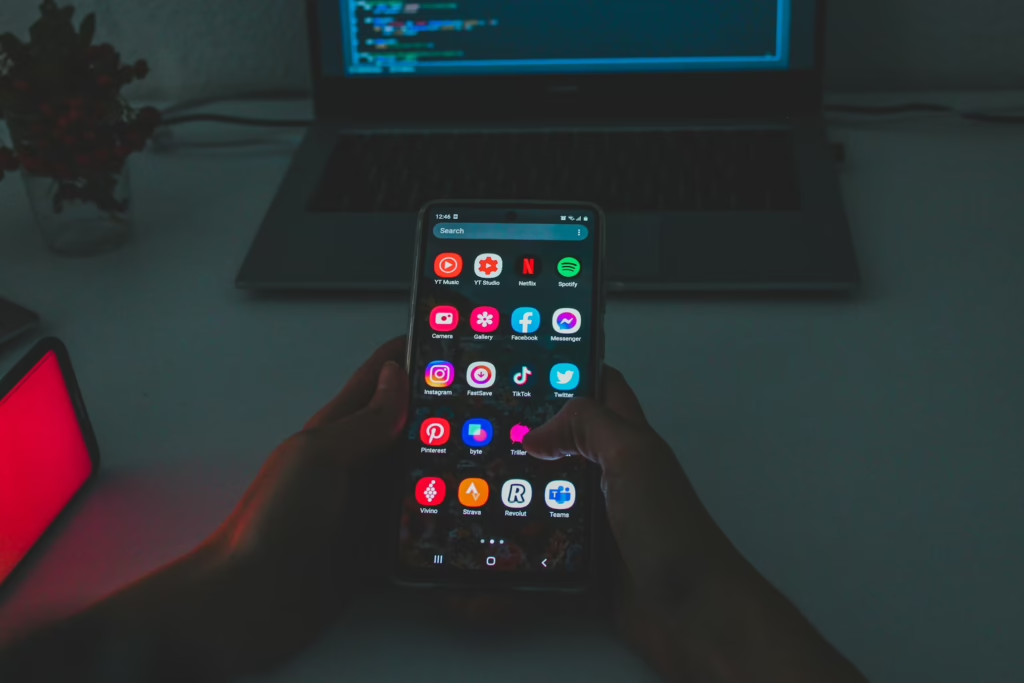
With a little effort and attention to detail, you can easily spot the bloatware on your device.
If you can’t remember installing an app, chances are it’s bloatware. This observation is often true with trial software or manufacturer-specific apps that automatically come bundled with your device.
Another telltale sign of bloatware is when your device has multiple apps doing the same thing. For example, your phone might have three weather apps or two photo editors. If you already have a preferred app for a specific function, the others are likely bloatware.
Look up an unfamiliar app’s name online. You might find discussions or articles from others who have identified it as unnecessary software.
The process for removing bloatware depends on your device.
Windows devices often come with pre-installed software from the manufacturer, from productivity tools to gaming apps. Here’s how to remove bloatware on a Windows PC:
Mac computers tend to have less bloatware than their Windows counterparts, but there may still be a few apps you want to remove. Here’s how to do it:
Some Android apps can be deeply integrated into the system. To remove unnecessary apps:
Apple has made it easier to remove some bloatware from iOS devices. Here’s how:
Bloatware can be a bit of a nuisance, but understanding what it is and how it works can help you take control of your device’s performance. Removing unnecessary apps can free up space, improve speed, extend battery life and enhance device security.